See your Yardi data in dashboards
Tired of manually exporting data and building reports in Excel? We turn your Yardi data into actionable, interactive dashboards.
Stop manually exporting data
RentViewer has built connectors to Yardi so data for all your properties can be pulled directly into your dashboards or Excel models. No need to manually export anything.
We connect to 20+ popular Yardi data sets, including:
Want a custom Yardi dashboard?
- ✓Live, automated refreshes
- ✓Power BI, Tableau, or Excel
- ✓Up and running in 28 days
Or call 248-601-6400
Getting to your Yardi data
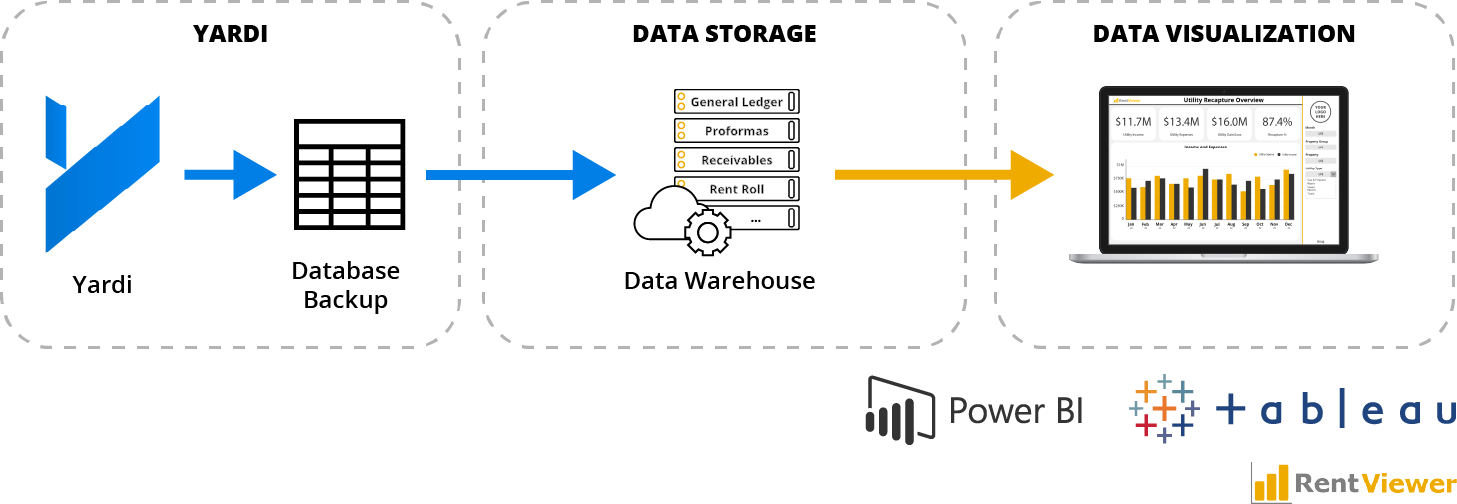
Query the backup database
Extract data from a backup of the Yardi SQL database and display it in Power BI, Tableau, or Excel.
This requires deep knowledge of the Yardi data model, infrastructure to fetch and restore the daily backup, and careful reconciliation of financials (accrual vs. cash, charge types, debits vs. credits, posted vs. non-posted) — a level of complexity few consultants master.
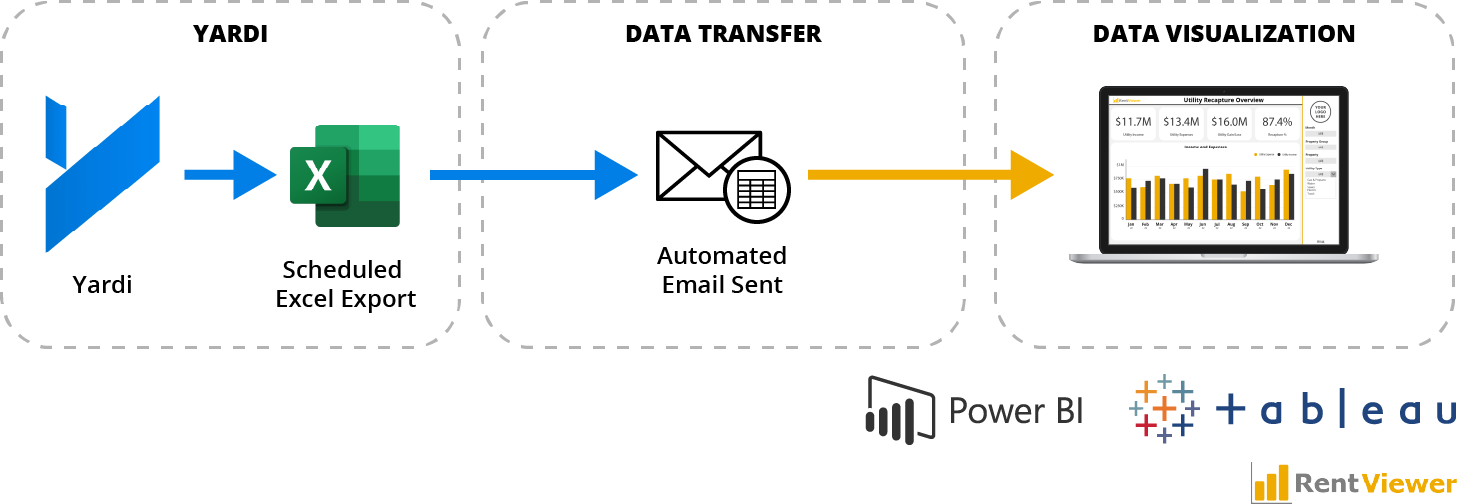
Export Yardi reports to Excel
Schedule a custom Yardi report, email the Excel export to a dedicated inbox, and have Power BI open the latest email, extract the file, and refresh the dashboard automatically.
Because you're exporting native reports, there's high confidence the data is accurate.
Yardi's own products
Consider Yardi Asset IQ or Yardi Data Connect for Power BI. These often have more features than you need — and sometimes lack ones you do.
We implement it for you
We can build any of these approaches into a maintained, secure data warehouse — so your team just uses the dashboards while we handle the back end.
Yardi and Power BI
See how RentViewer connects your Yardi data to live, automated Power BI dashboards — no manual exports required.
Ready to visualize your Yardi data?
Call us or book a meeting and we'll walk through the right approach for your portfolio.